Showing posts with label Android Tutorial. Show all posts

Saturday, 11 January 2014

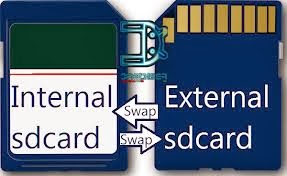
How To Convert Android Sd Card(External Card) Memory In To Phone Memory

How To Convert Android SD Card(External Card) Memory In Android Phone Memory

I am watching for a long time that many people in the Android phone application is very little space for installation. And has 2 GB or 4 GB of internal storage. Because of which they grow in their mobile gaming, and much of the collection, find applications. After many research I have found that our solution for the problem But I got a single processor application for the device. That name is MTK6577. Use of this processor is the people who are. Use it to only that.........
your phone should be routed After use these Applications . You Know How to Root your Phone.......
1)You need a three applications DOWNLOAD HEAR LINK SIZE-2 MB 

Friday, 10 January 2014

How To Root My Android Mobile

How To Root My Android Mobile

its very simple Root access in your android devise But Roots Not For Every One ?Because No More Warranty 

So Keep Try After Warranty 

1)You Need a Software

Click Hear Link size-2.12MB

Wednesday, 8 January 2014

How to write or change your IMEI on Android

How to write or change your IMEI on Android 

This is a simple guide how you can rewrite you IMEI no after bricking it and repairing it back.
After getting Repaired your Android device you may get problem with your Network and that is because of No valid IMEI, for that there can be many reasons.
If your phone is Rooted then you can Write your IMEI no. with just a secret code you will not require to Connect your phone with computer with debugging mode and writing IMEI with any tool, that may again brick your phone so try this easy way To,


NOTE-If you are searching for tools to change your IMEI then please note that Changing IMEI is illegal and this place is not for you.

Write IMEI of your Android phone with secret code in Engineering mode:-
Tuesday, 7 January 2014

How To Work In SP Flash Tool ( Tutorial )

        How To Use SP Flash Tool         

What's needed:

  • USB data cable

  • MediaTek USB VCOM drivers

  • SP Flash Tool


First of all, make sure that you have MediaTek DA USB VCOM drivers installed

     Flashing the whole ROM

 First of all open SP Flash Tool, then click Scatter-loading button to load the correct scatter file